TikTok Video Downloader
Save TikTok videos in HD with no watermark. A with-watermark version and MP3-only audio are also available.
More TikTok videos people are downloading
Trending videos other CatchTik users just saved.









How to download
 01
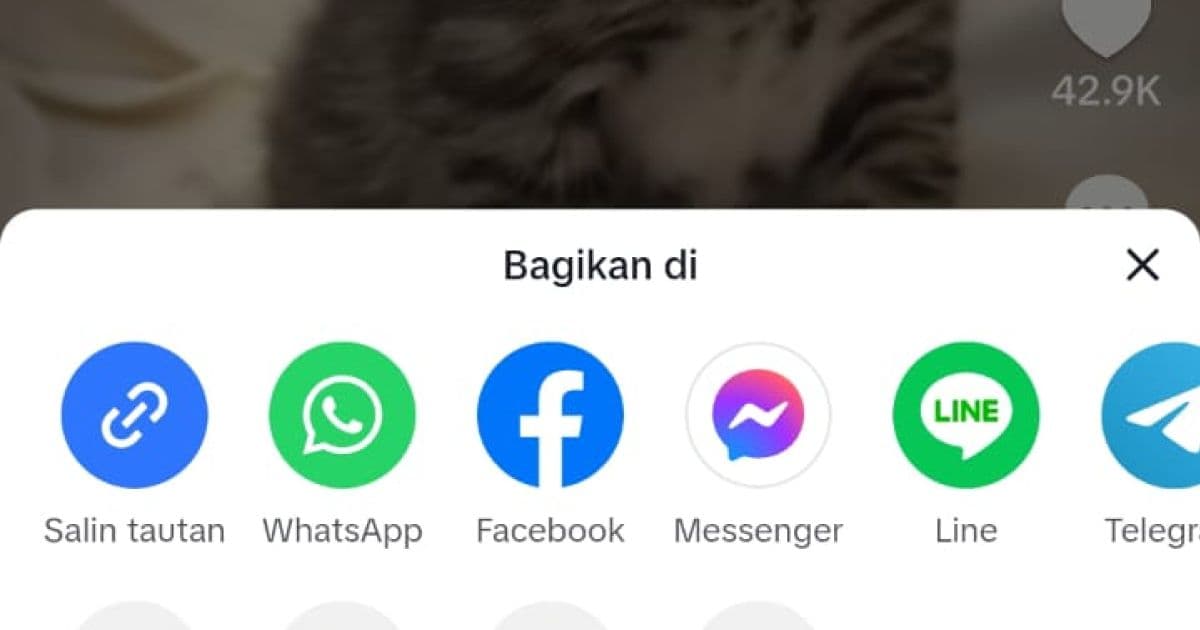
01Copy the video link
Tap the Share icon on the right side, then choose Copy Link. On the website, just copy the URL from the address bar.
 02
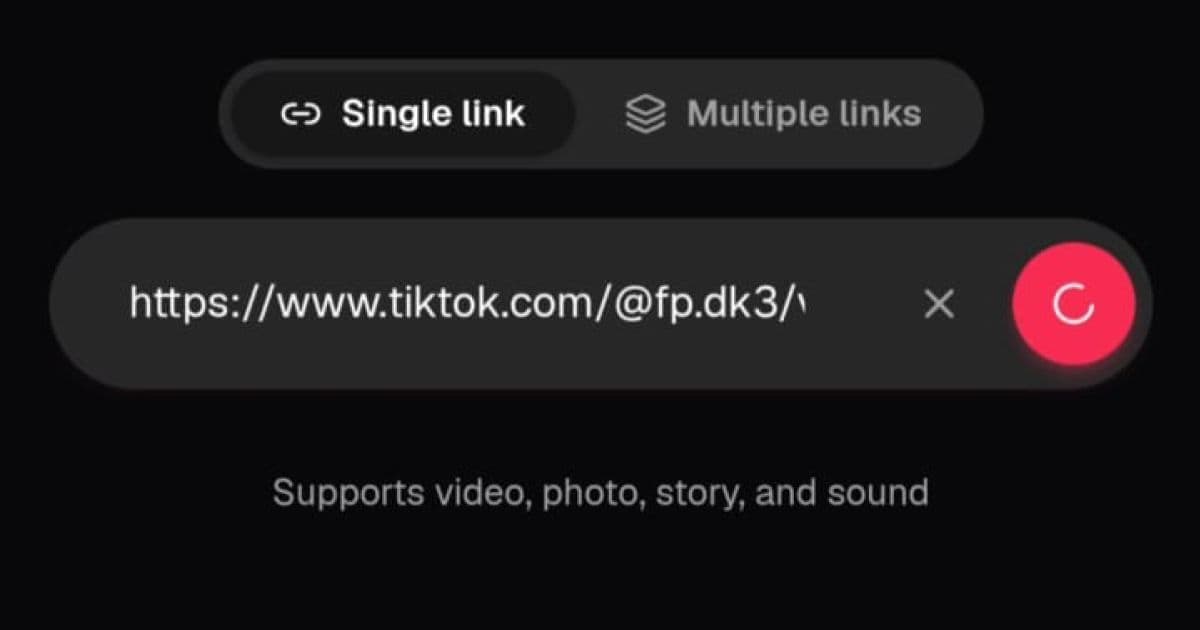
02Paste it into CatchTik
Open CatchTik, paste the link into the input field, then tap the pink button to fetch the video's data.
 03
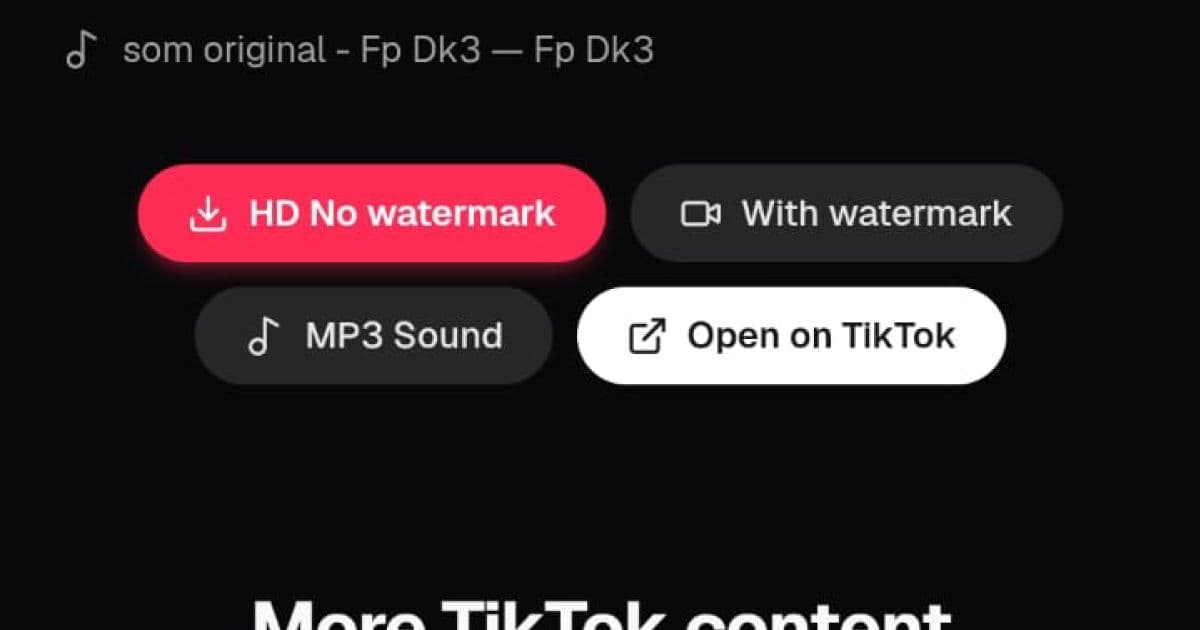
03Pick a download format
Choose HD without watermark, the with-watermark version, or MP3. The file saves straight to your browser's Downloads folder.
About CatchTik
The resolution and format you get
Downloaded videos match the original quality the creator uploaded to TikTok, usually somewhere between 720p and 1080p depending on their connection and upload settings. CatchTik doesn't compress or re-encode anything — the MP4 file you get is bit-for-bit the same as what's stored on TikTok's servers, just without the watermark layered on top.
Watermark: keep it or drop it, your call
The default is HD with no watermark, for the cleanest quality. But if you need to repost while keeping visual attribution to the original account, the With Watermark option is available on the same page. There's also an MP3 Sound option if all you're after is the audio, not the video.
What happens behind the scenes when you download
Once a link is processed, the request goes straight to TikTok's public source and the file streams directly to your browser — it never passes through or sits on CatchTik's servers. Since it's just streaming, it's usually done in a few seconds. Keep in mind the video you save is still someone else's work; credit the original creator if you share it again.
Advertisement
Frequently asked questions
What quality can I download videos in?
CatchTik fetches the highest quality TikTok provides for that video, typically 1080p HD. The final resolution depends on the quality the creator originally uploaded.
Can I download just the audio as MP3?
Yes. The MP3 Sound option saves only the video's audio — handy for grabbing background music, sound effects, or dialogue to use in another project.
When would I need the with-watermark version?
Some creators ask that TikTok's watermark stay visible on repost to preserve attribution. The With Watermark option saves that original version.
Are short links like vm.tiktok.com supported?
Fully supported. CatchTik automatically follows the redirect from a short link to the video's canonical URL, so you don't need to open it manually.
Is there a download limit?
No limit. Download as many videos as you need, whenever you want, with no account required.